
Netflix gift cards are one of the best ways to pay for your subscription without using a bank card. They can be used both to create a new account and to add balance to an existing active account, helping you control your spending more easily.
Although many people search for how to redeem the card directly from a Smart TV, the process is usually completed online, from the official Netflix website, using a mobile phone, tablet or computer. Once the balance has been applied, you can use that same account on your TV and on the rest of your compatible devices.
In this VidaPlayer guide, we explain how to redeem your Netflix card step by step, how to activate your account with the card balance and what to do if you want to use it on a Smart TV.
How to redeem a Netflix card step by step
Redeeming a Netflix gift card is a quick process. The most important thing is to always do it from the official platform page and check the code carefully before confirming it.
Go to the official Netflix website
The first step is to access the official Netflix website. If you received the card in physical or digital format, do not enter the code on third-party pages or supposed external activation portals. Always do it on Netflix.
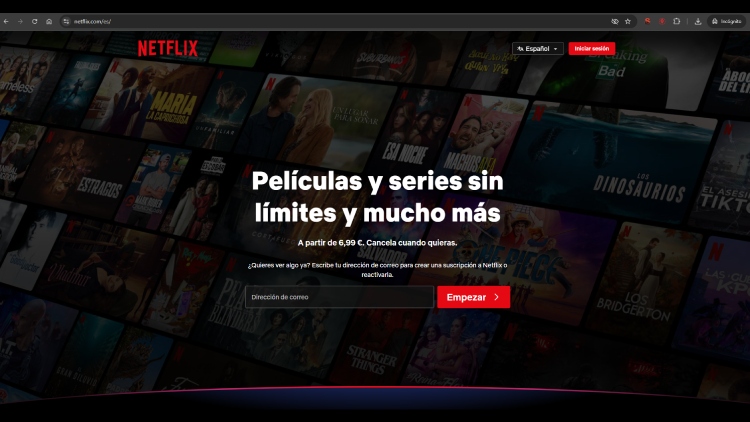
Log in or create an account
Once inside, you will need to log in to your Netflix account if you are already a user. If you do not have an account yet, you can create one at that point by following the registration process.
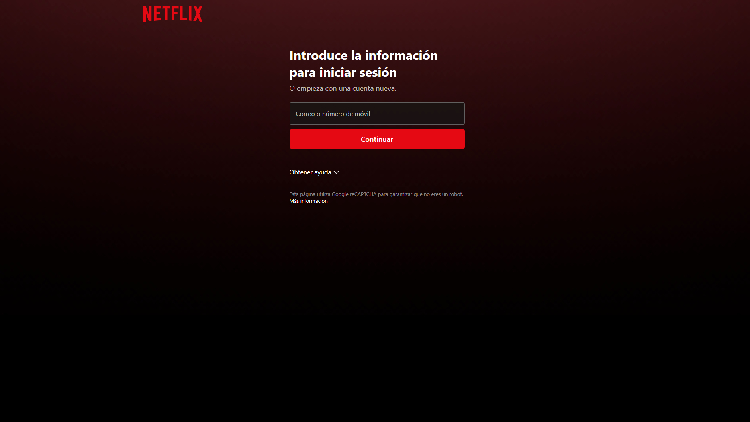
This step is important because the card balance will be applied to the account you access with. That is why, before continuing, it is worth checking that you are using the correct email address, especially if you share your device with other people or manage several accounts.
Enter the gift card code
If the card is physical, the code is usually found on the back. If it is digital, it normally appears in the email or delivery message.
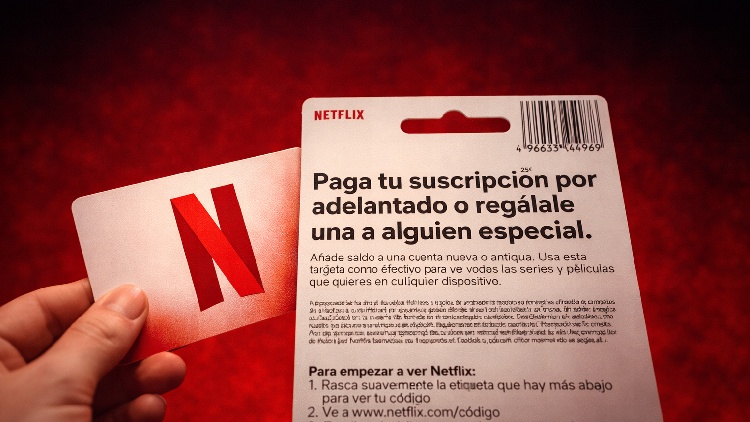
It is best to enter it carefully and check that there are no mistakes when copying it. One wrongly typed character can cause the platform not to recognise the code or display an error message.
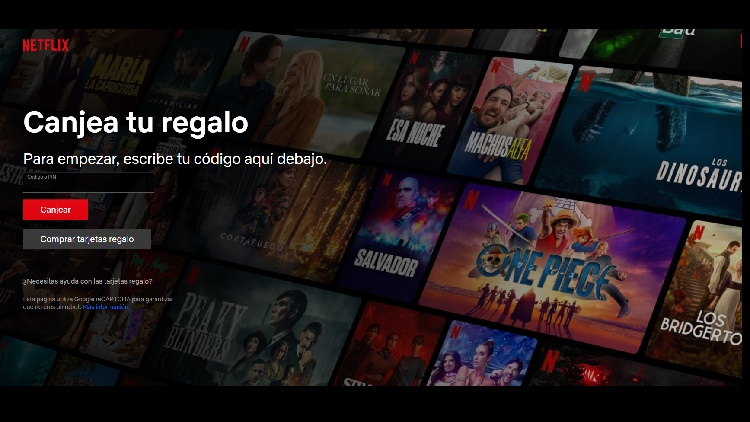
Confirm and apply the balance
After entering the code, you only need to confirm the operation. If everything is correct, the card balance will be added to your Netflix account.
From that moment on, that amount will be used to pay for your subscription according to the plan you have chosen. In other words, the balance is linked to the account and Netflix will automatically use it during the following billing cycles.
How to activate Netflix with a gift card
Once the card has been redeemed, the next step is to understand how that balance is used within the account. Activation does not work like a separate installation, but as a payment method applied to the service.
Use the card to start a new subscription
If you do not have Netflix yet, you can use the gift card when creating your account. In that case, the balance will be applied from the start and will be used to cover the cost of the plan you choose.
This is useful for starting to use the platform without needing to pay at that moment with another method. Even so, the availability of certain options may depend on how Netflix manages the sign-up process in each case, so it is always best to follow the instructions shown during registration.
Add balance to an active Netflix account
If you already have an active account, the card can also be used to add balance and cover upcoming payments. It is a practical option if you want to keep using Netflix without changing your plan or if you prefer to top up your account in advance.
In this case, the balance does not replace the account itself, but is added as available credit. Netflix will automatically deduct it when the next payment is due.
Can you redeem a Netflix card on a Smart TV?
In most cases, the easiest and most recommended option is to redeem the card from the browser on a mobile phone, computer or tablet. The Netflix app on Smart TV is mainly designed for watching content, not for managing other account processes.
Using it on your TV
Redeem the card on your Netflix account from the official website and, once the balance has been added, use that same account on your Smart TV. You do not need a special activation process for the TV. The important thing is that the account where you applied the card is the same one you later open in the Netflix app on your television.
Problems when redeeming a Netflix gift card
The code does not work or shows an error
If the code does not work, the first thing to do is check that it has been entered correctly. If it is correctly written and still does not work, the card may not have been properly activated at the point of sale or there may be a temporary error. In that case, it is best to wait a few minutes and try again. If the problem continues, the most advisable option is to contact the store where it was purchased or the corresponding support service.
The card has already been used
If a message appears saying that the card has already been redeemed, it may mean that the balance was previously applied to an account. The first thing to do is check whether you are logged in with the correct email address and review the account’s billing information or history.
If you cannot find the balance and you are sure you have not used the card, you will need to contact support to review the case.
I cannot log in to my account
If you cannot access your Netflix account, the problem is not with the card, but with account access. In that case, you should use the account recovery options, reset your password if necessary and verify that you are using the correct email address.
Until you access the right account, it is not advisable to redeem the code, as the balance will be applied to the profile you are logged into.
The balance does not appear
In some cases, the balance may take a few minutes to appear. If you have just redeemed the card and do not see the amount immediately, wait a little and check the account again.
It is also recommended to check the billing section or subscription information to see whether the credit has already been applied.
Frequently asked questions about Netflix gift cards
How long does Netflix gift card balance last and how is it applied?
Once the credit has been added, the most common question is how it is used and how long it can last. The answer mainly depends on the amount of the card and the plan you have selected.
The actual duration of the balance will depend on the amount of the card and the monthly price of your subscription plan. If the amount is enough to cover several periods, Netflix will deduct it month by month until it runs out.
That is why the same card can last more or less time depending on the type of plan and the current subscription price. The higher the monthly price, the faster the available balance will be used.
How does Netflix deduct the available balance?
Netflix uses the card balance as credit in the account. This means that, in each billing cycle, it automatically deducts the amount corresponding to your plan.
You will not need to renew manually or enter the code again once it has been redeemed. The system will apply the balance automatically until it runs out.
What happens when the card balance runs out?
When the balance runs out, the account may require another payment method to keep the subscription active. This will depend on how the account is configured and the conditions applicable at that time.
In practice, this means that the gift card does not provide unlimited access, but a specific amount of credit that is consumed as the service is used.