
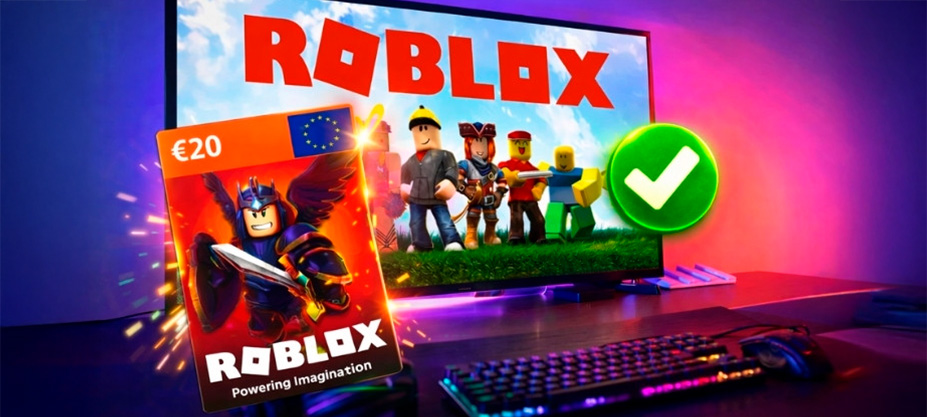
Sign up and have fun. That is the message you see as soon as you enter Roblox. Create your avatar, enter new worlds, play with friends and get accessories. But first, there is one small technical step: redeem your code.
Whether it is a gift card with Robux or a promotional code to get an exclusive item, Roblox does not activate them automatically. If you try to do it from the app, you will not find the option. If you do not know what type of code you have, you may end up in the wrong section.
That is why, from VidaPlayer, we want to explain exactly how to redeem Roblox codes and cards from the official page, step by step. So you can get back to what really matters as soon as possible: playing and having fun.
What types of codes exist in Roblox?
Before trying to redeem a code in Roblox, the most important thing is to know what type of code you have:
Roblox promotional codes
Promotional codes are combinations of letters and numbers that unlock free virtual items within the game. They usually provide avatar accessories, skins or other special items. They do not add Robux or balance to the account and are usually released during special events, official promotions or temporary campaigns.
Roblox gift cards
Roblox gift cards work differently. When you redeem them, you do not receive a specific item, but balance or Robux in your account. That balance can be used to:
- Buy Robux
- Get accessories for your avatar
- Unlock content inside games
Official page to redeem Roblox codes
IMPORTANT: redemption is completed exclusively from the official Roblox website, not from the mobile app. Many users try to activate their code from the app and cannot find the option because Roblox requires the process to be completed from a browser, whether on a computer, tablet or mobile phone. One more thing: always remember to check that you are on the official website before entering your code. There are fake pages that imitate Roblox’s design and may try to steal information or codes.
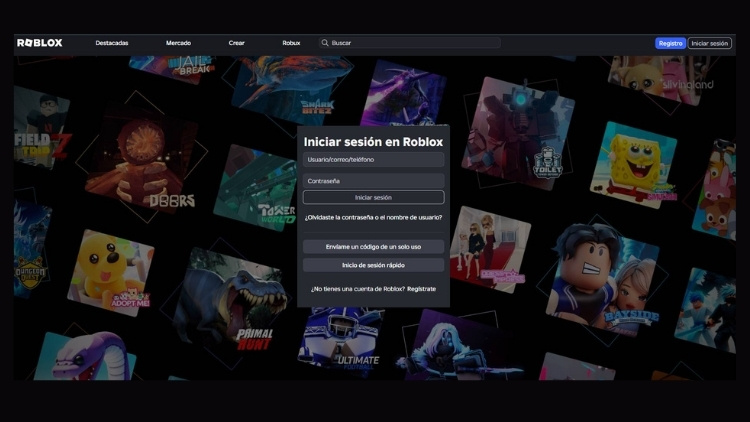
How to redeem a promotional code and a gift card in Roblox
Both promotional codes, which unlock items, and gift cards, which add balance or Robux, are redeemed from the same section inside your Roblox account.
- Log in to your Roblox account
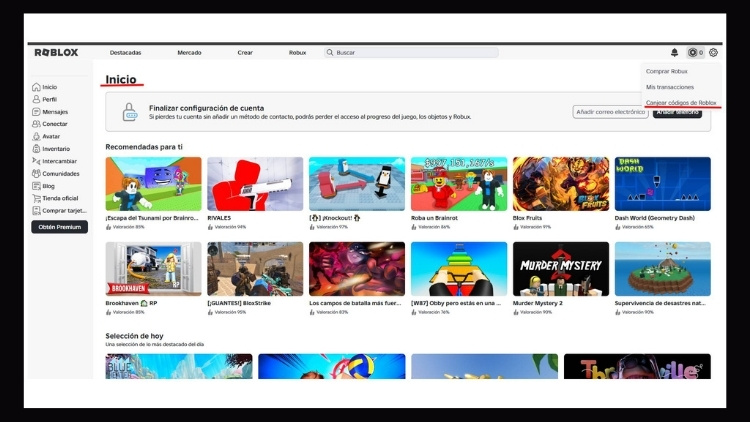
Make sure you access the correct account before entering any code. - Go to “Redeem Roblox Codes”
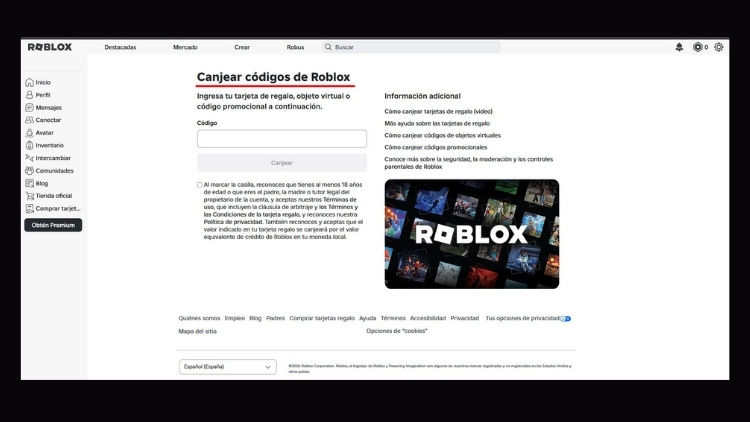
From your account menu, enter the code redemption section. - Enter the code and click “Redeem”
Type the full code, whether it is a promotional code or a gift card, and confirm. - Check the result
• If it was a promotional code, check your Inventory to see the item added.
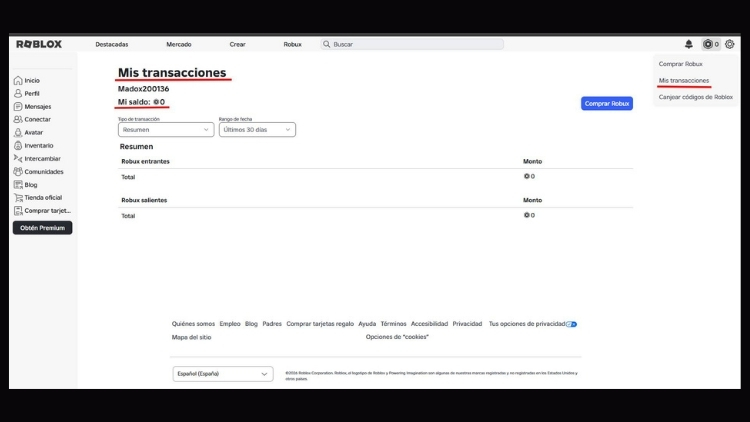
• If it was a gift card, confirm the balance or Robux in My Transactions.
Important: Roblox does not allow codes to be redeemed from different sections. Both gift cards and promotional codes are managed from the same area.
CTA: Buy a €20 Roblox gift card at VidaPlayer. Activate it by following the steps in this guide and start using your Robux instantly.
Errors you may encounter when redeeming codes in Roblox
The code does not work
One of the most common reasons is a mistake when typing the code. Check every character carefully. If the error message says it is not valid, also make sure you are entering it in the correct section, whether promotional code or gift card.
Trying to redeem from the app
As you now know, Roblox does not allow codes to be redeemed from the official mobile app. The process must be completed from a browser by accessing the official Roblox website and logging in. If you are using a mobile phone, open your browser, such as Chrome or Safari, and do it from there, not from the app.
Code already used
Roblox codes can only be activated once. If the system says it has already been used, it means it is linked to an account and cannot be redeemed again. Once activated, the balance or item is permanently associated with that account.
Region or currency issues
If you try to redeem a card that does not match your country or account settings, it may not work. Before buying, make sure the card is valid for your region.
Frequently asked questions about redeeming Roblox codes
Can you redeem a Roblox code from mobile?
Yes, but not from the official app. You must do it from your mobile browser by accessing the official Roblox website and logging in to your account.
How long does it take for the code to activate?
Activation is immediate. As soon as you confirm the code correctly, the item, balance or Robux is automatically added to your account.
Can the same code be used twice?
No. Roblox codes are single-use. Once activated, they cannot be used again.