
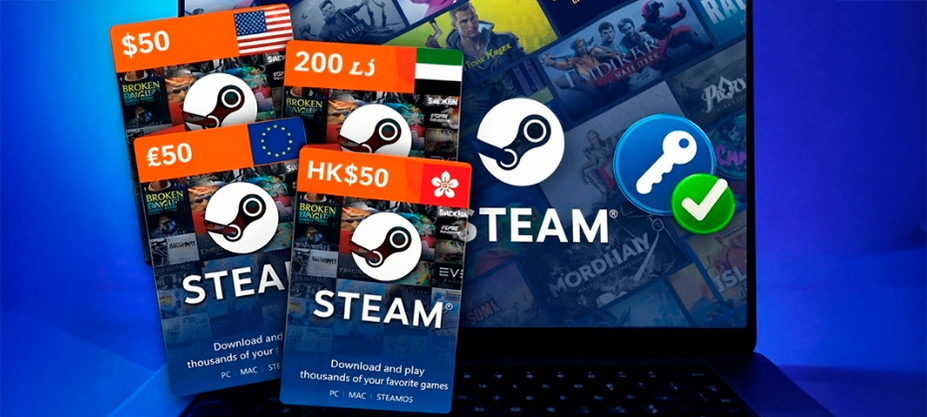
You bought a game outside Steam or a gift card and received a code. Where exactly do you enter it? Every day, thousands of players like you look for how to activate a key on Steam without making mistakes, losing the code or accidentally blocking their account.
The process is very simple. In less than a minute, you can redeem your code and have the game ready to download or the balance added to your wallet. You just need to know where to click.
In this guide, we explain step by step how to activate a Steam key from PC, from the web and from the mobile app. You will also see how to redeem gift cards correctly and what to do if the code does not work.
If you still do not have your key or need balance for your next purchase, you can get digital Steam cards from VidaPlayer and activate them by following these steps. Let’s get started.
What is a Steam key and when do you need to activate it?
A Steam key is an alphanumeric code used to add a game or digital content to your Steam account. It is usually made up of several blocks of letters and numbers separated by hyphens. This type of code is only needed when you buy a game outside the official Steam store.
Difference between a game key and a Steam gift card
A game key activates a specific title. When you enter the code correctly, that game is added directly to your library and you can download and play it without paying anything else. On the other hand, a Steam gift card does not activate a specific game. It adds balance to your Steam Wallet. That balance can then be used to buy any game, downloadable content or item available in the store.
How to activate a Steam key from PC
If you have the Steam program installed on your computer, this is the fastest and most common way to activate a key. In this case, the process is done directly inside the Steam desktop client, meaning from the application you normally use to download and play. You do not need to open your browser or go to the official website: everything is done from the program installed on your PC.
Activate your key in 5 steps
- Log in to Steam
Make sure you are using the correct account before activating the key. - Click “Add a product”
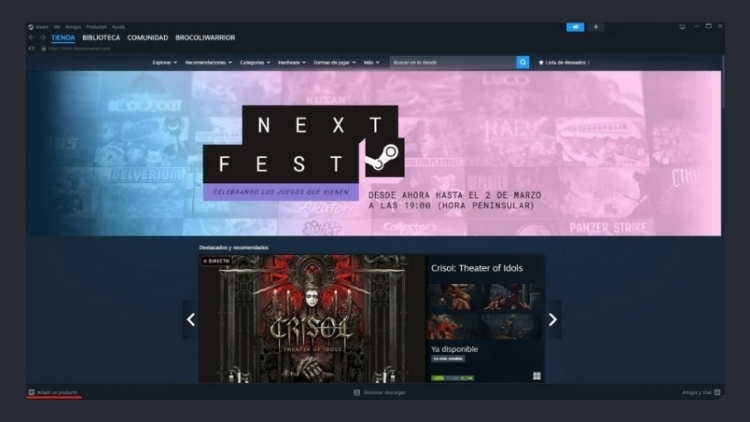
You will find it in the bottom-left corner of the Steam client. - Select “Activate a Product on Steam”
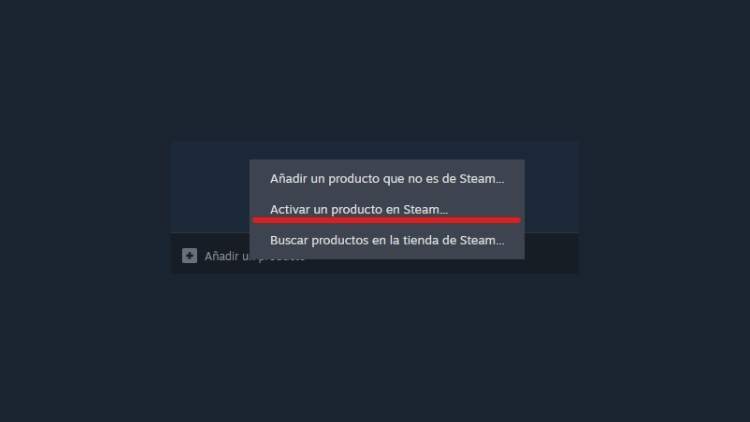
The official code redemption wizard will open. - Enter your code correctly
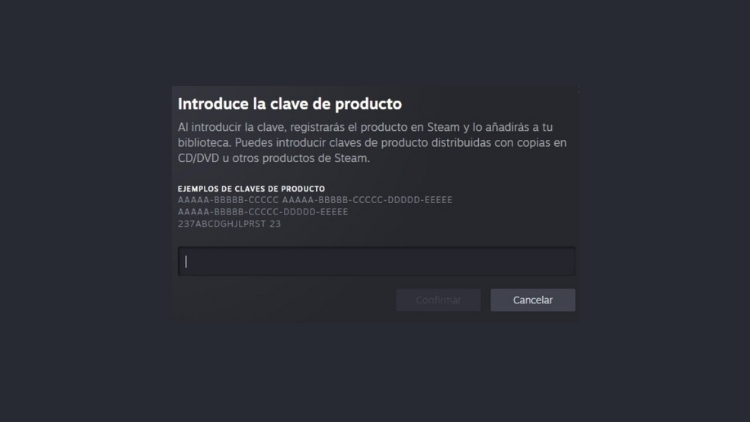
Copy and paste the full key without adding extra spaces. - Confirm and download the game
The game will automatically appear in your library.
How to activate a Steam key from the web
If you do not have the Steam client open or prefer to do it from your browser, you can also activate your key directly from the official Steam website. In this case, the process is done from your online account, by logging in on the website. The result is exactly the same as from PC: the game or balance will be added to your account, but the environment changes, as everything is managed from the browser and not from the installed app.
Activate your key from the browser in 4 steps
- Go to the official Steam website
Access it from your browser and make sure you are on the official page. - Log in to your account
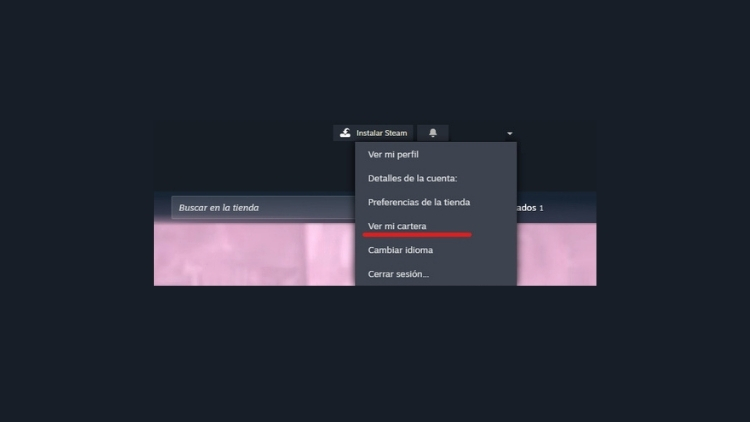
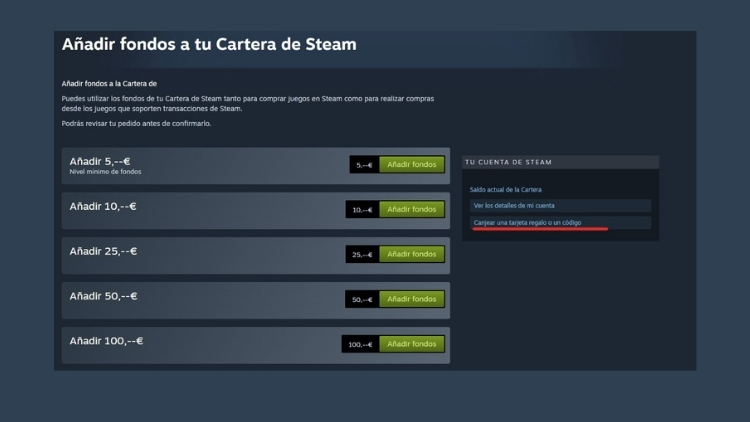
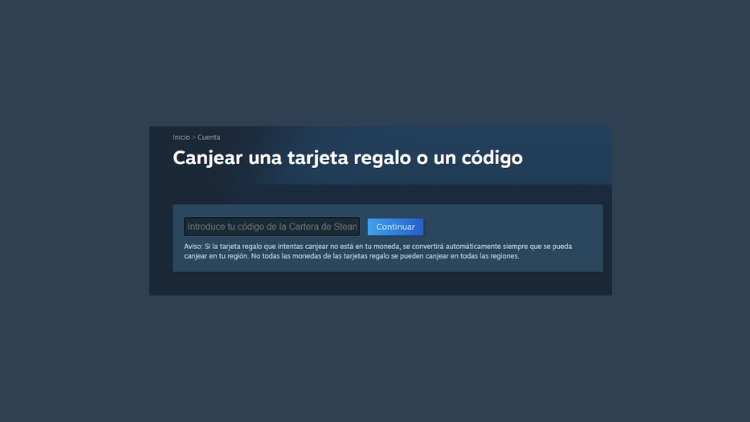
Check that you are using the correct account before continuing. - Go to the code redemption section
Look for the option to activate a product or redeem a code within your account. - Enter the code and confirm
The game or balance will be automatically added to your account.
How to redeem a Steam code and add balance from the mobile app

How to redeem a Steam code and add balance from the mobile app
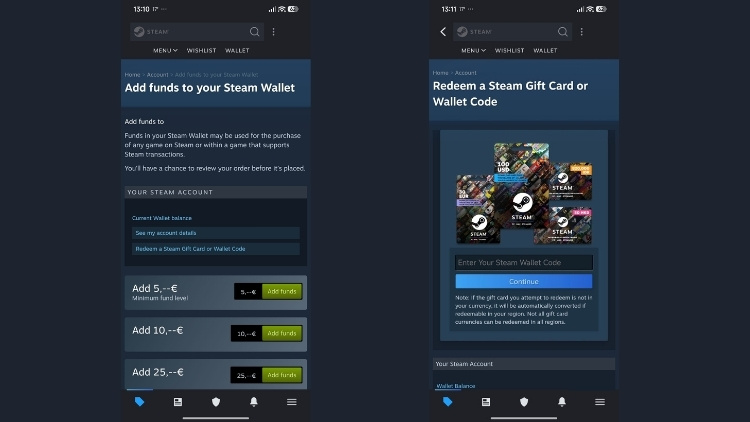
- Open the official Steam app
Log in to your account from the mobile app, either Android or iOS. - Go to Wallet
Enter your account and select “Redeem a Steam Gift Card or Wallet Code” to redeem your code. - Enter your code and confirm
Type or paste the full code and tap Continue to automatically add the balance to your account. - Prefer to add balance manually?
From the “Add funds to your Steam Wallet” section, you can choose the amount and add balance directly from the app.
Problems you may encounter when activating a code on Steam
Most problems when activating a Steam key or trying to redeem a Steam code have a quick solution. Before assuming that the code does not work, check the following points.
Invalid or mistyped code
One of the most common mistakes when activating a Steam key is entering the code incorrectly. There may be an extra space when copying it, a missing character or a letter confused with a number.
For example, it is common to confuse the letter O with the number 0, or the letter I with the number 1. If Steam says the code is invalid, check every character carefully and try again.
Code already used
Steam keys can only be activated once. If a message appears saying that the code has already been used, it means it is linked to another account and cannot be redeemed again. In this case, it is not a technical error, but a limitation of the code itself. Once a game is activated on Steam, it is permanently associated with that account.
Regional restriction
Some keys and gift cards are limited to a specific country or currency. If you buy a card in a different currency from your account’s currency, Steam may not allow you to activate it. That is why it is important to make sure the code region matches the region configured in your account.
Temporary system error
Sometimes, the problem is not with the code, but with Steam. There may be maintenance, temporary connection problems or occasional system errors. If everything seems correct but the code does not activate, wait a few minutes and try again later. Many times, the problem resolves itself automatically.
Where to buy Steam cards safely
If you are looking for a safe and direct option, at VidaPlayer you can find digital Steam cards for different regions, ready to activate in seconds by following the steps you have seen in this guide.
CTA Ready to add balance to your account? Get your digital Steam card now, activate it in less than a minute and start playing.
Frequently asked questions about activating keys on Steam
How long does it take for a game to activate?
Activation is immediate. As soon as you enter the code correctly and confirm, the game is automatically added to your library. From that moment, you can download it and start playing without waiting.
If it does not appear in your library, check that you are logged in to the correct account.
Can an already activated key be refunded?
No. Once you activate a key on Steam and the game is linked to your account, it is usually not possible to return or reuse it. Digital keys are single-use and remain permanently associated with the account where they are redeemed.
That is why it is important to make sure before entering the code.
Can I activate a code on another account afterwards?
No. When you activate a game on Steam, it is permanently linked to that account. It cannot be transferred to another account or moved afterwards.
If you have several accounts, make sure you log in to the correct one before redeeming the code.
Is it safe to buy keys outside Steam?
It depends on the provider. There are reliable digital stores that sell legitimate keys, but there are also unsafe sellers that can cause problems such as already-used codes or unexpected regional restrictions.
It is best to always buy from trusted sites and check that the region and currency of the code match your account.